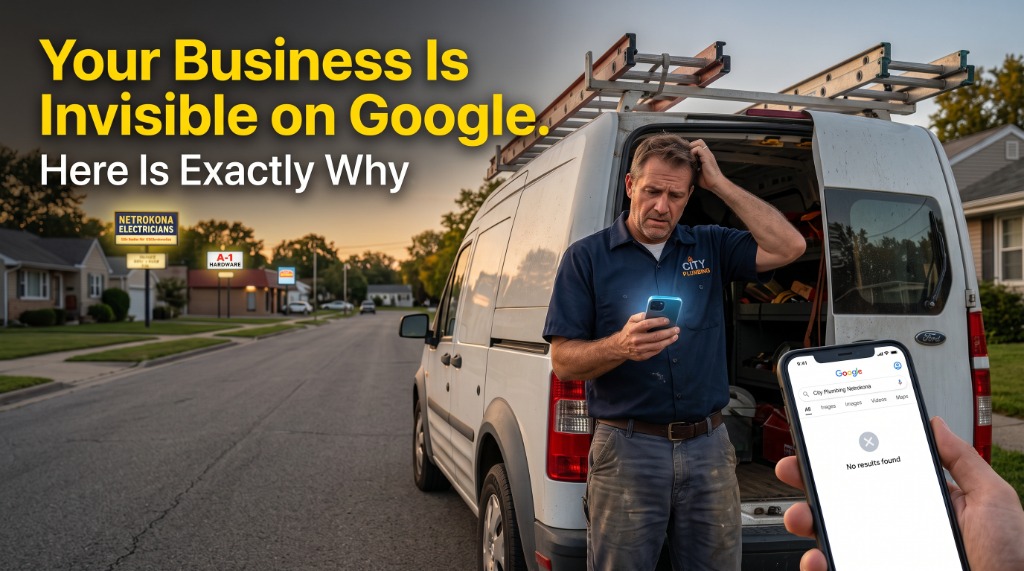

Last Tuesday, a plumber in Ohio called me. He had been in business for 11 years. Solid reputation. Good reviews from happy customers. His van was wrapped with his company name and phone number. He knew his trade better than almost anyone in his market.
But something was eating at him. His nephew typed "plumber near me" into Google and three competitor names came up. His business was nowhere. Not on page one. Not on page two. Nowhere at all.
"Mark, I set up that Google listing two years ago," he told me. "I filled everything in. Why is my business not showing up on Google Maps?"
He is not alone. I hear this exact question from local business owners every single week. And the frustrating part is that most of them did nothing wrong on purpose. The reasons their listing is invisible are specific, fixable, and nobody ever explained them properly.
So here they are. The 7 real reasons your business is not showing up on Google Maps, and what to do about each one today.
Reason 1: Your Google Business Profile Is Not Fully Verified
Creating a Google Business Profile is not the same as having a verified one. Google requires you to prove you actually own the business before it will show your listing to anyone searching nearby.
In the past this was a simple postcard with a PIN code. Today, Google uses video verification for most businesses. You record a short video showing your business location, signage, and equipment. Many business owners start this process, get confused, and abandon it halfway. Their profile sits in limbo forever.
If your profile is unverified, Google will not show it. Full stop. Log into your Google Business Profile right now and check the status at the top of the dashboard. If it says "Get verified" or shows a pending status, this is your first and most urgent fix.
Reason 2: You Chose the Wrong Business Category
This one surprises almost everyone. Your primary business category is the single most important field in your entire Google profile. It tells Google what kind of business you are and which searches you should compete for.
Most business owners pick something broad when they first set up their profile. "Contractor." "Repair Shop." "Service." Google has hundreds of very specific categories available, and picking the wrong one means you are competing in the wrong pool entirely.
A plumber should not be listed as "Contractor." They should be "Plumber." An HVAC company should not be listed under "Home Services." They should be "HVAC Contractor" or "Air Conditioning Repair Service." The more specific your category, the more precisely Google knows where to put you.
Log into your profile, click Edit Profile, and review your primary category. Then add 2 to 4 secondary categories that describe your specific services.
Reason 3: Your Business Information Does Not Match Across the Web
Google calls this NAP consistency. NAP stands for Name, Address, and Phone number. If your business is listed as "Smith Plumbing" on Google but "Smith Plumbing LLC" on Yelp and "Smith Plumbing Co." on your Facebook page, Google gets confused about which information to trust.
It sounds minor. It is not. Google cross-references your business information across dozens of directories before deciding how credible your listing is. Mismatched information lowers your trust score and pushes you down in results.
Check your business name, address, and phone number on Google, Yelp, Facebook, your website footer, and any other directory where your business appears. Make them identical. Every character counts, including "LLC," "Suite," and how you format your phone number.
Reason 4: Your Profile Has No Photos or Outdated Ones
Here is a stat from Google's own research: businesses with photos get 42 percent more direction requests and 35 percent more website clicks than businesses without them.
When someone searches for a local business, they look at photos before they read anything else. If your listing has no photos, one blurry image from 2020, or only a generic stock photo, you lose the click before the person even reads your name.
Add at least 10 real photos to your profile. Show your team at work, your equipment, your finished projects, the inside of your shop. Update them every 60 to 90 days. Google treats fresh photos as a signal that your business is active. Profiles that look abandoned rank lower.
Reason 5: You Have No Recent Reviews
A business with no reviews tells Google one of two things. Either you just opened, or your customers are not satisfied enough to say anything. Neither helps you rank.
Reviews are not just for customers to read. They are a direct ranking factor for Google Maps. The number, the rating, how recent they are, and whether you respond all contribute to where you appear in results.
And here is the part most business owners miss: five genuine reviews posted in the last 30 days will outperform eighty reviews that are two years old. Recency matters as much as quantity. Start texting your current customers directly after each completed job. Send a direct link to your Google review page. That one habit changes everything.
Reason 6: Your Profile Is Missing Key Information
Google rewards completeness. A profile with every field filled in ranks higher than a partial one. Most businesses have their name, phone, and address. Very few have everything.
Check whether you have your business hours filled in for every day of the week. Check whether you have a business description written in plain language. Check whether you have listed your specific services, your service area if you travel to customers, and your accepted payment methods.
Each missing field sends a signal to Google that your profile is not actively managed. A fully completed, regularly updated profile tells Google you are a real, active business worth showing to searchers nearby.
Reason 7: Your Website Is Sending Mixed Signals to Google
Your website is supposed to confirm everything your Google listing says about you. If it does not, Google loses confidence in both.
Go to your website right now. Check that your business name, address, and phone number appear in the footer of every page. Make sure the phone number matches exactly what is on your Google profile. If they are different, even by one digit, it creates a contradiction Google cannot resolve in your favor.
If you want to take this further, ask your web developer to add LocalBusiness Schema markup to your site. This is a small block of structured code that tells Google exactly what your business is, where it operates, and what services it offers. It creates a direct bridge between your website and your Google listing and makes a real difference in how quickly Google starts trusting your profile.
Which One Is Hurting You Right Now?
Most businesses have two or three of these problems happening at the same time. That is why fixing just one thing rarely produces results fast enough to feel meaningful.
The plumber from Ohio I mentioned at the start had three issues working against him at once. His profile was unverified, his category was too broad, and his most recent review was from 2023. Within six weeks of fixing all three, he appeared in the Google Maps top 3 results for his service area. His phone started ringing again.
Google Maps visibility is not about paying for ads or gaming the algorithm. It is about giving Google exactly what it needs to trust your business enough to show it to nearby searchers.
If you want to know specifically which of these 7 issues is holding your business back right now, we offer a free 9-mile visibility scan. We look at your Google listing, your website signals, your review profile, and your local competition. Then we show you exactly where the gap is. No pitch. Just a clear, honest picture of where you stand and what to fix first.
Frequently Asked Questions
Why is my Google Business Profile not showing up on Google Maps? +
The most common reasons are: your profile is not fully verified, your business category is too generic, your name and address details do not match across the web, you have few or no recent reviews, or your profile is missing photos and key details. Each of these reduces how much Google trusts your listing. Start by checking your verification status and your primary category.
How long does it take to show up on Google Maps after creating a listing? +
After verification, your listing usually appears within 3 to 7 days. Ranking in the top 3 results takes longer. Most businesses see meaningful movement within 4 to 12 weeks of consistently fixing their profile, adding fresh photos, and building a steady flow of recent reviews.
Why does my competitor show up on Google Maps but not me? +
Your competitor likely has a more complete profile, more recent reviews, a more specific business category, and a website that matches and confirms their Google listing. Google ranks the most trusted and relevant business for each search, not the one that has been around the longest.
Can I fix my Google Maps visibility without paying for ads? +
Yes. Most of the problems covered in this article are completely free to fix. Updating your category, adding real photos, responding to every review, and filling in all profile fields costs nothing. Getting the basics right consistently will move your ranking more than any ad spend.