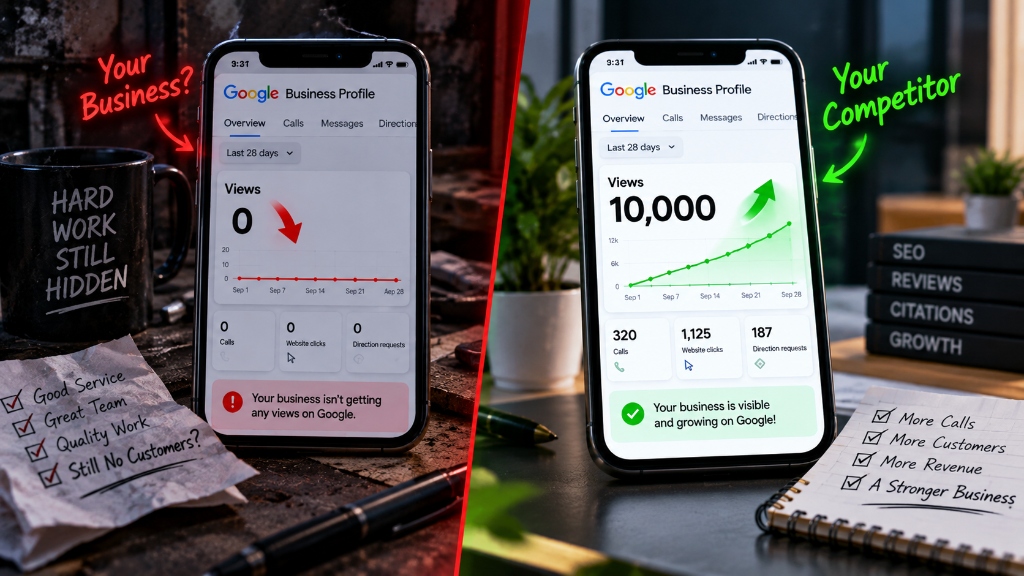

Why Am I Getting Zero Views on Google?
You set up your Google Business Profile, verified the postcard, and waited. Now you check your performance insights, and you see a flat line with zero views.
This is the most common frustration for new and established local businesses alike. A Google Business Profile is not a "set it and forget it" asset. If you are not getting views, it means Google does not trust your listing enough to show it to local customers searching for your services.
The good news is that visibility issues are highly mechanical. If you are stuck at zero views, you are almost certainly failing one of the foundational ranking signals. Here are the top 10 reasons your Google Business Profile is invisible, and exactly how to fix them.
1. Your Profile Is Not Fully Verified
Google will not display your business to the public until it is completely verified.
Many business owners start the verification process (like requesting a video verification or postcard) and assume they are live. Until you see the green "Verified" badge on your dashboard, your business remains hidden from Google Maps and local search results.
The Fix: Log into your Google Business Profile manager. If it says "Pending verification" or "Verification required," follow the exact steps prompted. Do not make any edits to your name, address, or phone number while waiting for verification, as this will reset the clock.
2. Your Listing Is Soft-Suspended
A soft suspension removes your listing from search results without notifying you directly.
Google suspends profiles that violate guidelines, such as using a P.O. Box address, keyword stuffing the business name, or having multiple listings for the same address. Sometimes, a profile is suspended simply because the algorithm flagged a suspicious edit.
The Fix: Check your dashboard for a red "Suspended" banner. If you see it, review the Google Business Profile guidelines carefully, fix the violating information (like removing extra keywords from your name), and submit a reinstatement request form.
3. You Hid Your Address Wrong
Service-area businesses must hide their physical address, but doing it incorrectly destroys visibility.
If you are a plumber or a mobile detailer working out of your home, you are required to hide your address and set a service area. However, if you set your service area to "entire United States" or a massive 500-mile radius, Google will penalize your local relevance.
The Fix: Limit your service areas to the specific cities and zip codes you physically drive to (usually within a 2-hour driving radius). Do not set broad state-level service areas if you only serve a single county.
4. Your Primary Category Is Too Broad
Your primary category is the single biggest ranking factor for specific local searches.
If you are a personal injury lawyer but your primary category is simply "Lawyer," you will not show up when someone searches "car accident attorney near me." The algorithm heavily prioritizes businesses with highly specific primary categories.
The Fix: Change your primary category to the most specific, highest-intent service you provide. Move the broader categories to the secondary category list.
5. Your Profile Is Not Linked to a Strong Website
Google reads the website linked to your profile to understand what your business actually does.
If you link your Google Business Profile to a Facebook page, or to a website that has zero content about your local services, Google lacks the context needed to rank you. The words on your website directly influence the keywords your profile ranks for.
The Fix: Ensure your website URL links to a dedicated, fast-loading website. The homepage must clearly state your exact services and the exact city you operate in.
6. You Have Zero Google Reviews
Profiles without reviews are pushed to the bottom of the map pack, receiving almost zero impressions.
Google wants to show searchers trusted, established businesses. A profile with zero reviews, or reviews older than three years, signals a dead or unverified business entity. You will not get views if Google does not trust you.
The Fix: Ask your last three satisfied customers for a Google review today. A steady velocity of 1 to 2 new reviews per week will dramatically spike your profile impressions.
7. You Are Located in a Dead Zone
Google Maps ranks businesses based on proximity to the searcher.
If your physical address is located 20 miles outside of the main city center, and all the search volume is happening downtown, you will not get views. Proximity is a harsh mathematical reality in local search.
The Fix: You cannot change your physical address easily. Instead, you must build massive authority through local citations, high-quality backlinks, and consistent reviews to expand your ranking radius outward.
8. Your Profile Is Blank (No Photos or Posts)
A bare profile signals low engagement to the Google algorithm.
If you have not uploaded photos of your team, your work, or your building exterior, Google views your profile as incomplete. Competitors who frequently upload photos and Google Posts are rewarded with higher visibility.
The Fix: Upload 10 high-quality photos of your actual business operations today (no stock photos). Then, create a schedule to publish one update or offer to Google Posts every week.
9. Your Business Information is Conflicting Online
Inconsistent Name, Address, and Phone number (NAP) data across the internet destroys trust.
If your Google profile lists a different phone number than your Yelp page, and a different address than your Facebook page, Google gets confused. When the algorithm is confused about your basic details, it refuses to rank you.
The Fix: Run a citation audit. Ensure your exact business name, current address, and primary phone number are identical across all major online directories.
10. The "New Business" Sandbox
Brand new profiles take time to index and rank in competitive markets.
If you verified your profile yesterday, you will not have 1,000 views today. Google places new listings in a provisional period to prevent spam. It takes time to build the trust signals required for high visibility.
The Fix: Be patient and do the work. Fill out every single field on your profile, add your services, get your first 5 reviews, and give the algorithm 30 to 60 days to start showing your listing consistently.
Frequently Asked Questions
How often does Google Business Profile update views? +
Google updates the Performance Insights dashboard every 24 to 48 hours. If you make a major optimization change, wait at least three days to check if your impressions have increased.
Do Google Posts increase my profile views? +
Yes. Publishing weekly Google Posts signals active management to the algorithm, which slightly boosts ranking authority. Additionally, posts can show up in search results for specific long-tail queries, generating direct views.
Can I pay Google to get more views on my business profile? +
You cannot pay to improve your organic organic Map Pack rankings. However, you can use Google Local Services Ads or Google Ads location extensions to pay for sponsored placement at the very top of local search results.
Why did my views drop to zero suddenly? +
A sudden drop to absolute zero usually indicates a soft suspension, a massive algorithm update, or a glitch in the Google Insights reporting tool. First, check your dashboard for any suspension notices or verification requests.
If your profile has been stuck at zero views for months, guessing will not fix it. You need to know exactly which signals are holding you back. We offer a free 9-mile visibility scan that diagnoses your exact ranking roadblocks.